ChromaDB Manager: A Simple GUI for Chroma Based on Chrome Browser Extension
Introduction
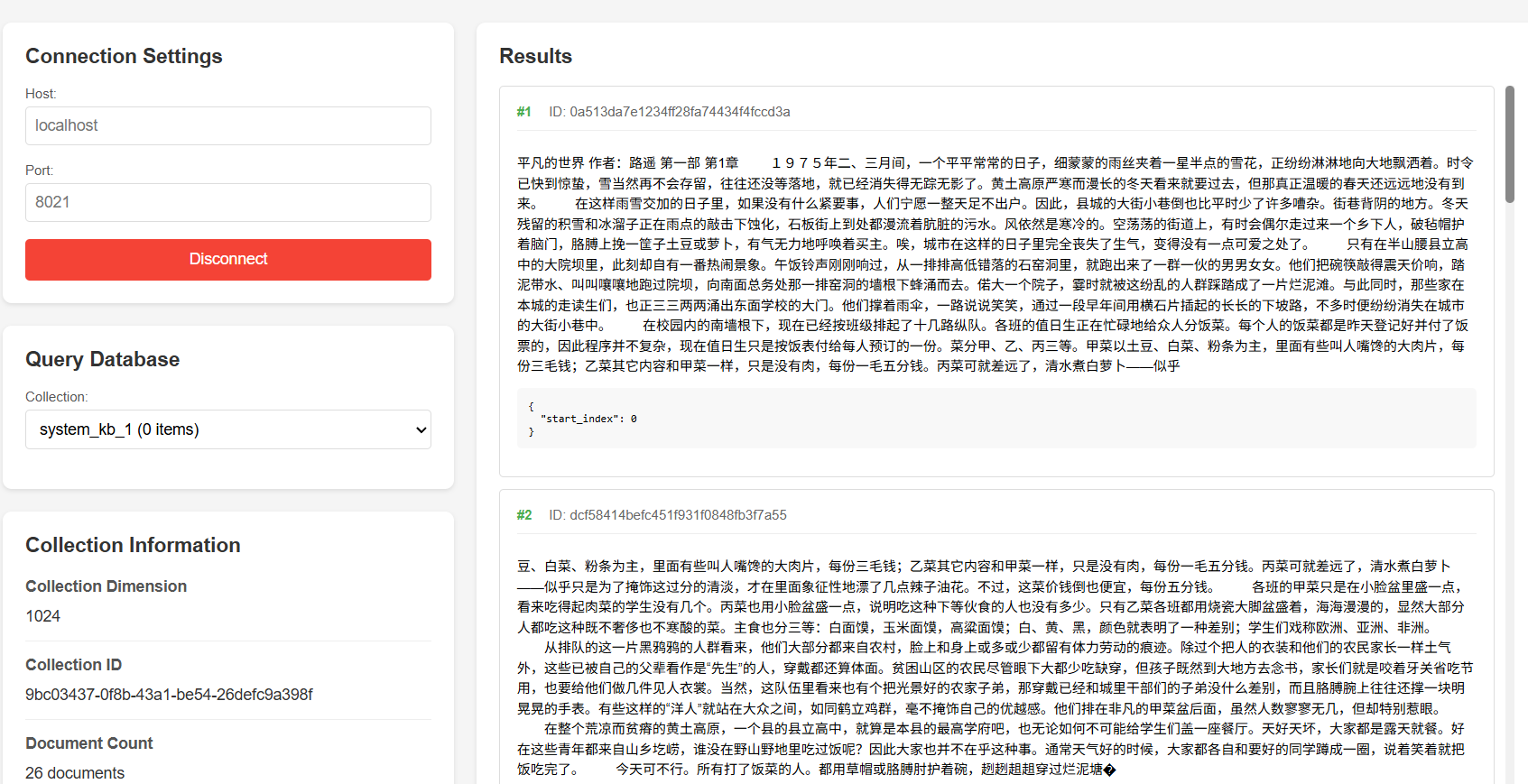
ChromaDB Manager is a Chrome browser extension that provides a data query tool for ChromaDB (a popular vector database). It offers a user-friendly interface that allows direct connection to local ChromaDB instances, viewing collection information, and shard data. This tool is particularly suitable for developers to quickly view and verify data in ChromaDB, enabling basic database operations without writing code.
Key Features
- Fully open source, source code and Chrome extension package available on Github
- Simple host and port configuration interface
- Support for local ChromaDB instances
- Collection list
- Collection details (vector dimensions, index information, metadata, etc.)
- Document count
- Document query
Use Cases
Development and Debugging
- Quickly view data in ChromaDB
- Verify vector data correctness
- Check collection configuration and metadata
Data Validation
- View document content and embedding vectors
- Check data integrity
Teaching and Demonstration
- Intuitively display ChromaDB data structure
- Demonstrate basic concepts of vector databases
- Aid in understanding vector retrieval principles
Usage Instructions
Start ChromaDB in Server mode
1chroma run --port 8000 --path /path/chromadbInstall the extension
- Download chromadb_chrome_plugin locally
- Open Chrome browser and go to the extensions management page (chrome://extensions/)
- Enable "Developer mode"
- Click "Load unpacked extension" and select the downloaded folder
Using the extension
- Click the extension icon to open the interface
- Enter ChromaDB host (default: localhost) and port (default: 8000)
- Click "Connect" to establish connection
- Select a collection to view its details and documents
Interface Preview